PXE Forge — v1.0

Boot Any Machine
Over Your
Network

Windows PXE boot server with a full GUI. Serve Windows and Linux ISOs across your network — built-in DHCP, TFTP, and HTTP. No WDS, no Active Directory, no nonsense.

1-day trial included

PXE Forge — Server Running
# Server started
DHCP listening on 0.0.0.0:67
TFTP listening on 0.0.0.0:69
HTTP listening on 0.0.0.0:8080
# Client connected
DHCP DISCOVER from 00:15:5D:01:05:2A
DHCP OFFER 192.168.100.100 → bootx64.efi
TFTP RRQ bootx64.efi (1.6 MB)
TFTP RRQ Boot/BCD (8 KB)
TFTP RRQ Boot/boot.wim (290 MB)
HTTP GET /sources/install.wim (4.1 GB)
Windows Setup launched on client
Windows 10/11 No WDS Required Windows & Linux ISOs Built-in DHCP / TFTP / HTTP Offline — No Cloud GUI App

Capabilities

Everything in One App

No external services. No prerequisites beyond a Windows machine and an ISO file.

01

RFC-Compliant TFTP Server

Full RFC 2347 option negotiation — blksize, tsize, timeout. Only echoes options the client requested in OACK. Strict UEFI firmware clients that reject non-compliant servers work correctly without retries.

02

ISO-Type-Aware DHCP

Automatically selects the correct boot file per client type. Windows UEFI gets Microsoft bootmgr. Linux UEFI gets real iPXE. BIOS clients get undionly.kpxe. One server handles all types automatically.

03

ISO Cache System

Copies full ISO contents to a local writable cache on first use. Drop unattend.xml, preseed.cfg, or ks.cfg directly into the cache to customize deployments without touching the ISO.

04

ADK WinPE Boot Path

Windows clients boot via a clean ADK-built WinPE. Windows Setup launches automatically from within WinPE via setup launcher script.

05

HTTP File Server

Serves install.wim, kernel, initrd, and preseed files from the ISO cache over HTTP. Linux ISO deployment uses this path via iPXE — no TFTP 32 MB file size limit.

06

Windows & Linux ISOs

Boot Windows 10/11 or any standard Linux distro from the same server. Ubuntu, Debian, Rocky Linux, and others tested. Switch ISOs from the GUI without restarting any services.

07

UEFI & BIOS Clients

UEFI clients use Microsoft-signed bootmgr with Secure Boot disabled on the client. BIOS clients use iPXE undionly.kpxe. Both paths handled automatically — no manual selection.

08

Real-Time Boot Log

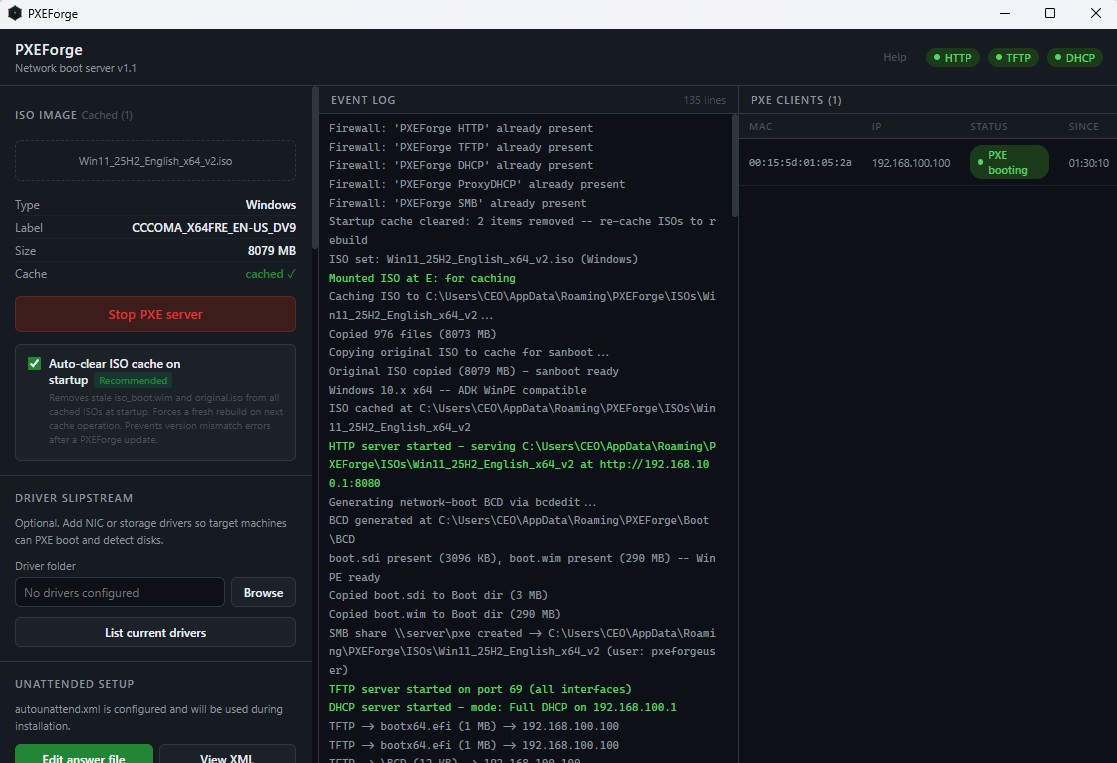
Every DHCP discover, DHCP offer, TFTP request, and HTTP transfer is shown in the GUI in real time. See exactly what each client is doing — essential for diagnosing boot failures.

09

No External Dependencies

Runs on any Windows 10/11 workstation on your network. No Windows Server license, no domain membership, no additional software required. Plug in an ISO and start serving in minutes.
How It Works

Up in Five Steps

01

Launch PXE Forge

Run the portable exe on any Windows 10/11 machine on your network.

02

Select ISO

Point to your Windows or Linux ISO. PXE Forge caches it automatically.

03

Start Server

One click starts DHCP, TFTP, and HTTP. The log shows every client request.

04

Boot Client

PXE boot any machine on the same network — UEFI or BIOS, Windows or Linux.

05

Install

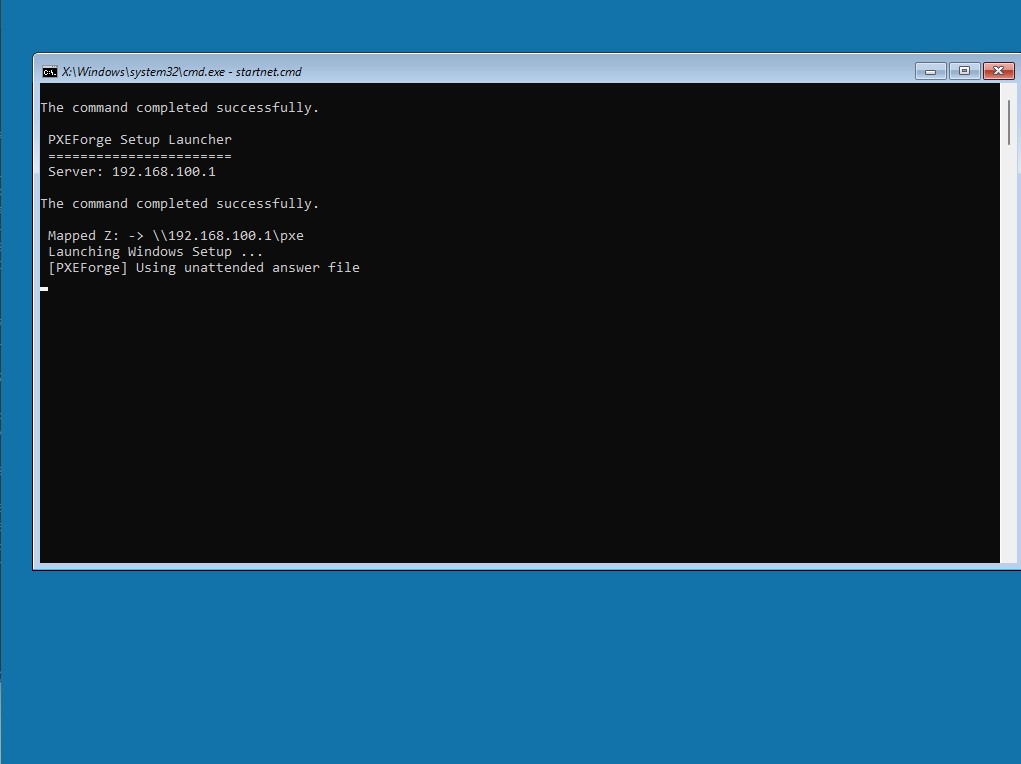
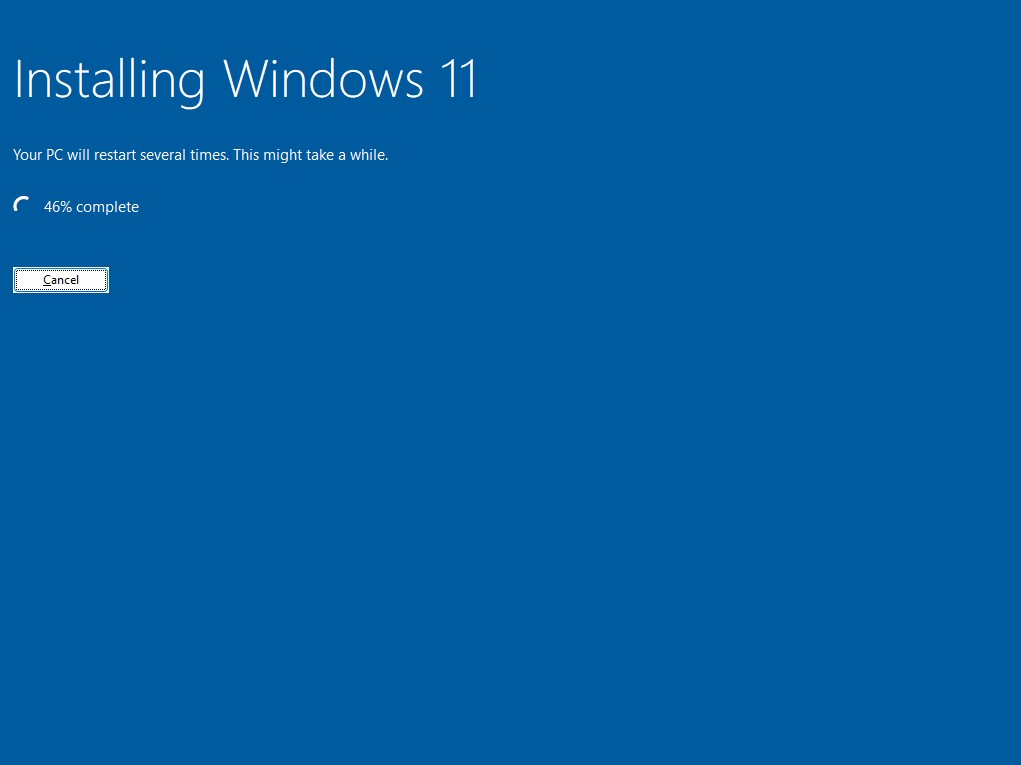
Windows Setup or Linux installer launches automatically from the network boot.

Pricing

Simple and Honest

Suggested Price

Activate Permanently

$249

One-time  ·  Flex pay available

  • Permanent hardware-locked activation
  • All current and future v1.x features
  • Windows and Linux ISO support
  • UEFI and BIOS client support
  • ISO cache with unattend.xml injection
  • ADK WinPE boot path — no WDS errors
  • License key delivered instantly by email

Want to pay less? Email us — name your price.

1-Day Trial Included

Download includes a full 1-day trial with all features. Purchase a license to activate permanently.

Download — Windows 64-bit  ·  GUI App

↓ PXEForge-1.0.0-setup.zip

SHA256: e5f78d32a07e72eeec4515540d98412437eea39413d76e164cb32a0d862d902b

FAQ

Common Questions

Does it replace WDS?
Yes — PXE Forge provides everything WDS does for basic OS deployment over PXE, without requiring Active Directory, Windows Server, or any Microsoft licensing. It runs on a standard Windows 10/11 workstation.
What ISOs are supported?
Windows 10, Windows 11, and any Linux distribution with a standard kernel/initrd. Ubuntu, Debian, CentOS, Rocky Linux, and others have been tested. The ISO cache system works with any standard ISO image.
Do I need Secure Boot disabled?
Yes — client machines need Secure Boot disabled for network booting. The bootmgr binary shipped with PXE Forge is Microsoft-signed, but the network boot chain itself requires Secure Boot to be off on the client. The host machine running PXE Forge does not need any changes.
Can I run it on the same machine I'm deploying to?
No — PXE Forge needs to run on a server machine on the network. The machine being deployed to boots from the network before its local OS loads, so it needs a separate server to boot from. Any Windows 10/11 machine on the same subnet works as the server.
Windows says the app is unrecognized — is it safe?
Yes. Windows SmartScreen flags new applications with limited download history. Click More info then Run anyway to proceed. We are obtaining a code signing certificate which will eliminate this warning in a future update.