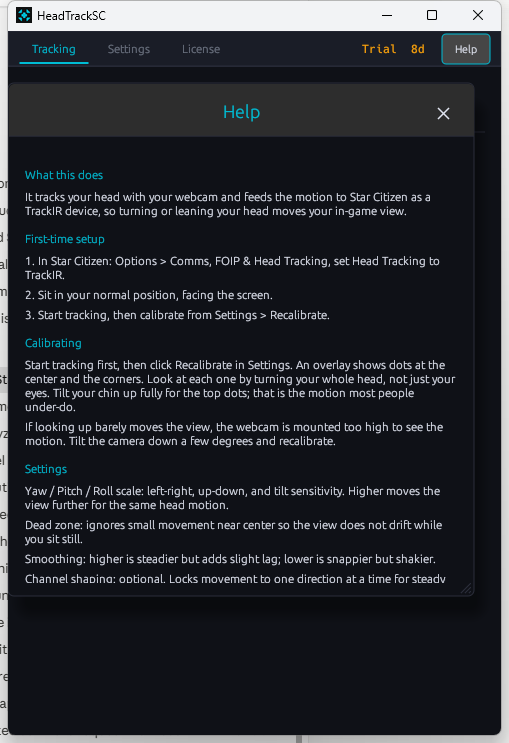
Webcam head tracking for Star Citizen

Look around your cockpit. With nothing but your webcam.

HeadTrackSC turns any ordinary webcam into a head tracker and feeds Star Citizen through its built-in TrackIR support. No TrackIR unit, no IR clip, no reflective markers, no subscription.

Launch offer: 50% off  ·  Windows 10/11 64-bit  ·  one-time purchase  ·  uses the webcam you already own

YAW · PITCH · ROLL → TrackIR
~16 ms response
GPU accelerated
100% on-device
0 extra hardware
Works with Star Citizen via native TrackIR Compatible with any TrackIR / FreeTrack title Runs on any webcam No cloud · camera stays on your PC
Features

Everything you need to fly head-first

Commercial-grade tracking built specifically for sim and space games, tuned so your view is dead-steady at rest and snappy on a real turn.

◎

No special hardware

Skip the $150 tracker and the head clip. Any built-in or USB webcam works out of the box.

⇄

Native TrackIR / FreeTrack output

Appears to the game exactly like a TrackIR device, so Star Citizen and other TrackIR titles just see it.

⚡

GPU-accelerated

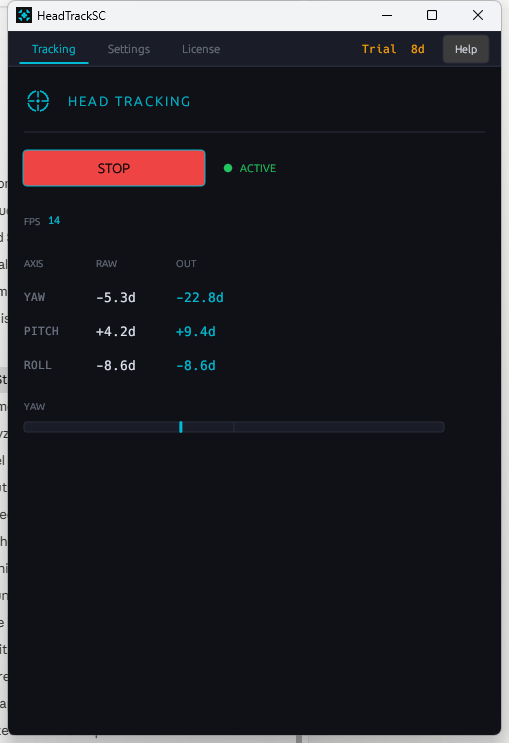
Runs on your graphics card for low-latency tracking, with an automatic software fallback. Fast enough to feel instant.

≈

Rock-steady smoothing

Keeps your view calm at rest and crisp on a turn, with no added lag and no swimming.

⤧

Anti-jump protection

Sudden glitches are caught before they reach the game, so your view never snaps or twitches.

▤

Stable Movement Path

An optional aim-steadying mode that keeps your view planted on target instead of drifting, for confident long-range shots.

◑

Wink to steady your aim

Close one eye to hold steady-aim (Left-Shift) while you look down sights. Fully optional and configurable.

Selectable option
⌖

One-tap recenter

Press F9 any time to re-zero your view to wherever you are looking. Works while the game has focus.

◴

Click-dot calibration

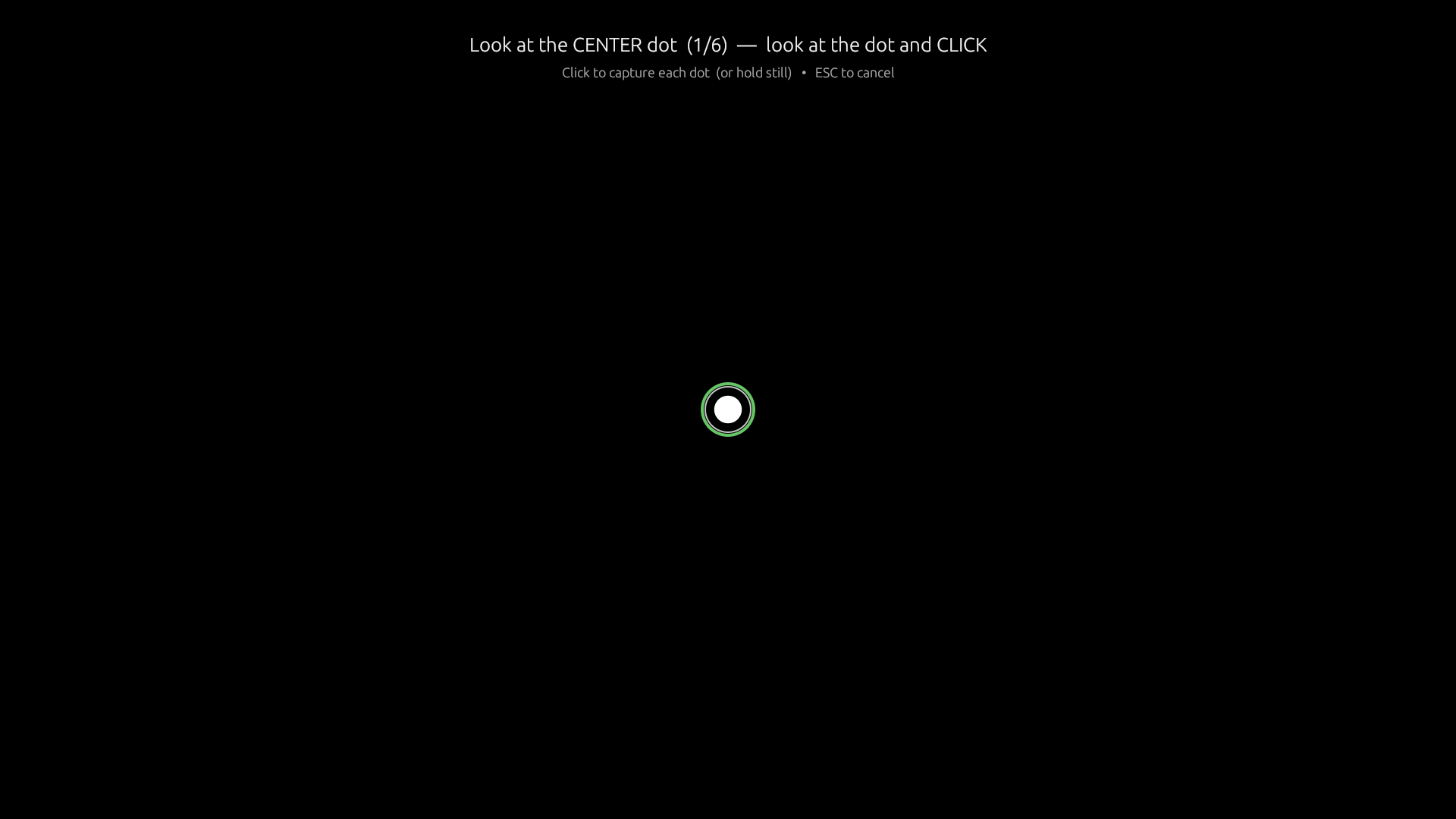
Look at a few on-screen dots and click. HeadTrackSC maps your comfortable range, including separate up and down sensitivity.

How it works

Flying in three steps

STEP 1

Install & run

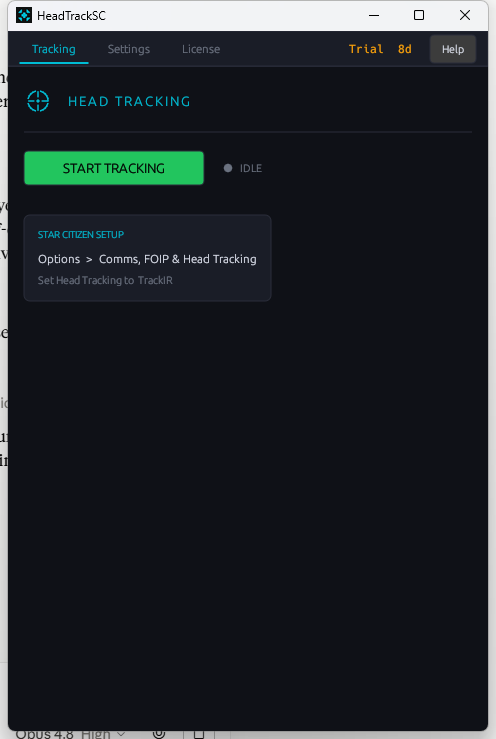
Run the installer, launch HeadTrackSC, and pick your webcam. No drivers, no account, no setup wizard maze.

STEP 2

Turn on TrackIR in Star Citizen

Enable head tracking in the game's options once. HeadTrackSC presents itself as the TrackIR device the game expects.

STEP 3

Calibrate & play

Click the calibration dots to set your range, then fly. Press F9 to recenter whenever you settle into your seat.

Settings & options

Tune it exactly how you fly

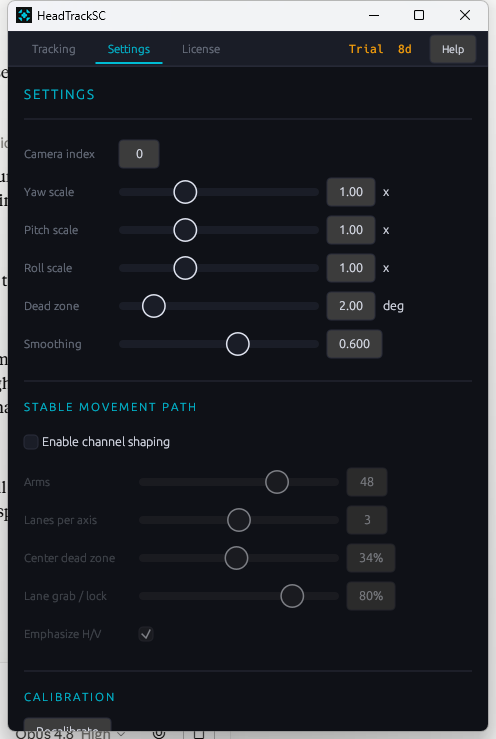
Every control below is adjustable in the app. Sensible defaults ship ready to play.

Tracking backend
Run on your GPU for the lowest latency, or use software mode on machines without a compatible GPU.
Camera selection
Choose which connected webcam to track with.
Per-axis sensitivity
Independent yaw, pitch, and roll gain so a small real turn maps to a full look in-game.
Recenter hotkey
F9 re-zeroes your neutral position instantly, even while the game holds keyboard focus.
Stable Movement Path
Toggle the aim-steadying mode on or off and dial in how strong it feels.
Wink-to-steady-aim SELECTABLE
Close one eye to hold steady-aim (Left-Shift). Enable or disable it; choose whether it fires only while aiming down sights or any time; and set ADS detection to hold-right-mouse or toggle.
Anti-jump protection
Turn glitch rejection on or off for an A/B feel comparison.
Click-dot calibration
Per-direction (separate up/down and left/right) sensitivity, saved and reloaded automatically.
Why HeadTrackSC

The tracker without the tax

What you get

  • One-time purchase, no subscription
  • Uses the webcam you already own
  • All processing runs on your PC, your camera feed never leaves it
  • Purpose-built and tuned for Star Citizen
  • Runs quietly alongside the game

The old way

  • $130–$200 for a dedicated IR tracker
  • A clip or hat with reflective markers to wear
  • IR lighting and line-of-sight fussiness
  • Subscription fees on some webcam alternatives
  • Extra USB device on your desk
System requirements

Will it run?

Minimum

  • Windows 10 or 11, 64-bit
  • Any webcam (720p or better recommended)
  • A reasonably lit room facing the camera
  • Star Citizen with head tracking (TrackIR) enabled

Recommended

  • A DirectX 12 / DirectML-capable GPU for the fastest tracking
  • Webcam mounted near the top center of your monitor
  • Steady, even lighting on your face
Pricing

Buy once. Fly forever.

HeadTrackSC
$19.99$9.99 one-time
Launch offer - 50% off
  • Full app and all features above
  • Free updates within the current version
  • Licensed for your machine
  • No subscription, ever
Download & activate

Or get it free: enlist in Star Citizen with referral code STAR-7SNJ-57YG, then email [email protected] for your key. One copy per referral. Void where prohibited.

Windows installer · signed (ITITSOLUTION SOFTWARE LLC) · 81 MB

SHA256: A9579DB3B82CCB2601287A09AF4391F432712F6873C6D69986A4FF11BDF6DD26

FAQ

Good questions

Does it need a TrackIR device?
No. HeadTrackSC replaces the device entirely. It presents itself to the game as TrackIR, so you enable head tracking in Star Citizen exactly as you would with the real hardware.
Is my camera footage uploaded anywhere?
No. All processing happens locally on your PC. Your camera feed never leaves the machine and nothing is sent to a server.
What is the wink-to-steady-aim feature?
Closing one eye holds the steady-aim key (Left-Shift) for you. It is completely optional and can be limited to only fire while you are aiming down sights, with ADS detected by holding right-mouse or by toggle. Turn it off entirely if you prefer.
Will it work with other TrackIR games?
HeadTrackSC outputs standard TrackIR / FreeTrack data, so it is compatible with other titles that support those protocols. It is built and tuned specifically for Star Citizen.
How good does my lighting and webcam need to be?
A normal 720p or 1080p webcam in a reasonably lit room works well. Even, steady lighting on your face and a camera near the top center of your monitor give the best results.
How is it licensed?
A one-time purchase activates HeadTrackSC on your machine. No subscription and no recurring fees.